Ask the Record Yourself: Connect an AI Assistant in Five Minutes
Using the record, part 1 of 3: connect it, and ask the first questions.
By Piet Speurder · · updated · 6 min read
MCP ChatGPTClaudeconnectfirst questions
Everything on this site can be read by Claude or ChatGPT. Connect once, then ask about the case in plain language and get answers with the quote and the link behind every fact. Part one of three: setup, and the first questions to try.
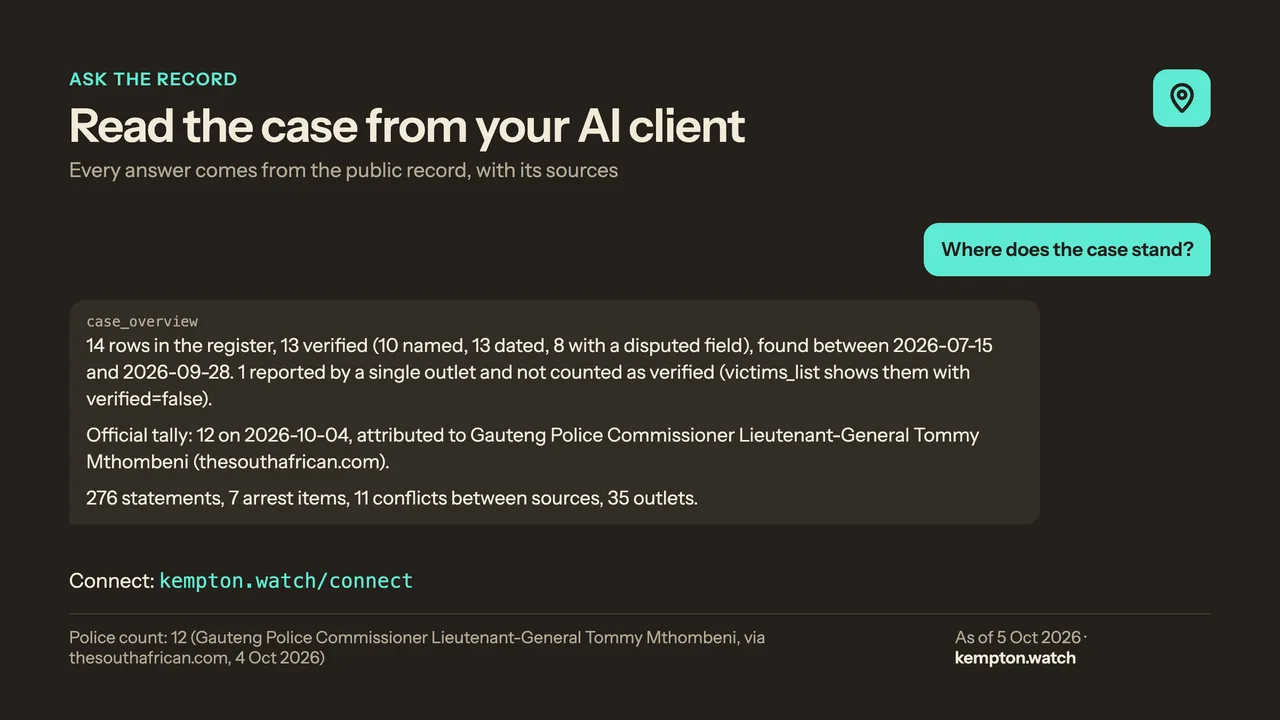
Source: kempton.watch
Everything on this site can be read by an AI assistant. Not summarised by one, not guessed at by one. Read. You connect your assistant to the record once, and from then on you can ask it about the case in plain language and get an answer with the sentence and the link behind every fact.
This is the first of three posts about how to do that. This one gets you connected and asks the first questions. The second is about checking things people send you and keeping up with the case week by week. The third is for people who want to do more: send a tip, write it up, or build on the record.
None of it needs you to understand how it works. But I'll tell you in one paragraph anyway, because I'd want to know.
What this actually is
The connection uses an open standard called MCP, the Model Context Protocol. Think of it as a library card. Your assistant, on its own, knows nothing about this case except what it read on the internet months ago, which is to say, nothing reliable. With the card, it can walk into the record, look things up, and bring back what it found, with the source. It cannot change anything. It cannot see anything the website doesn't show. It does not know who you are, beyond a short-lived counter per connection that keeps the limits.
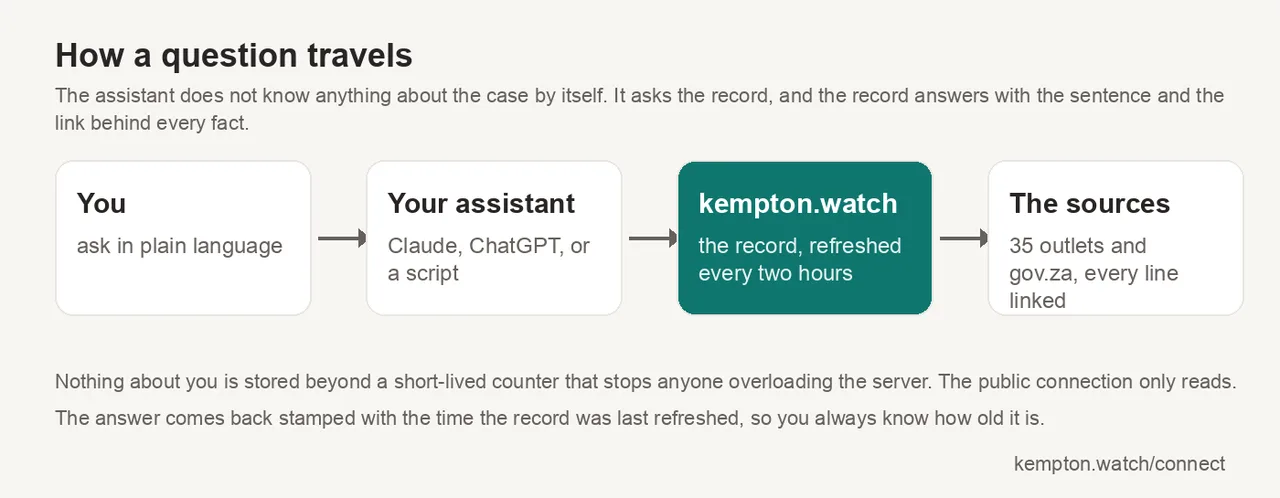
The diagram above is the whole thing in four boxes: you ask, the assistant asks the record, the record answers from the sources, and the answer comes back to you with its links. Every answer comes back stamped with the time the record was last refreshed, which is about every two hours, so you always know how old it is.
Connect it
The address your assistant needs is this one. Everything else is clicking.
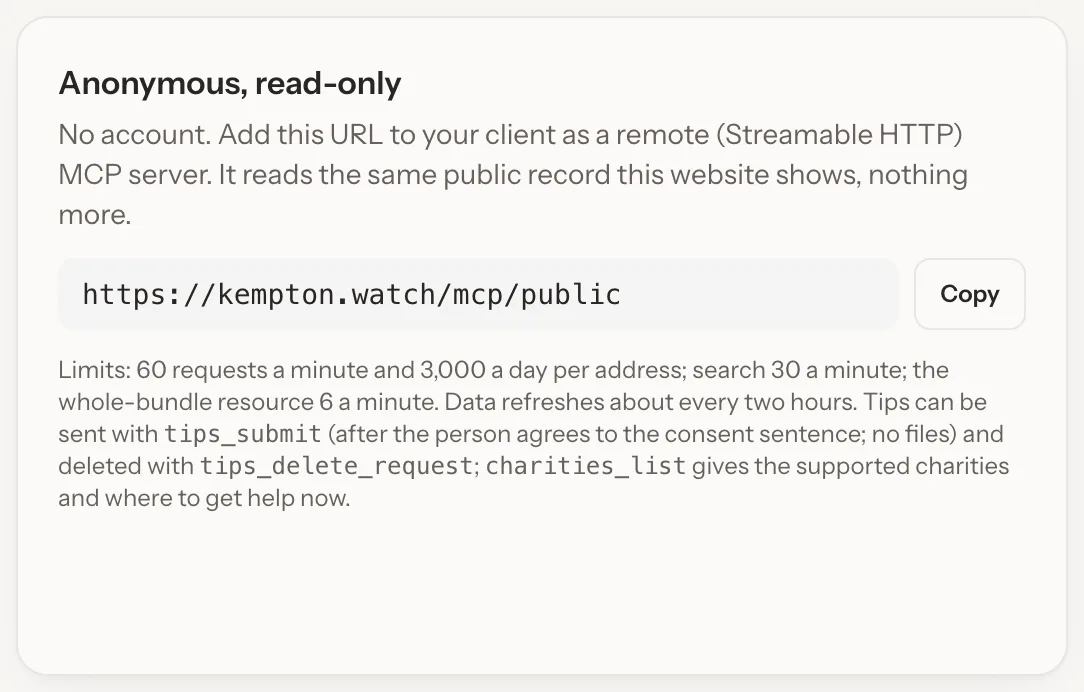
Claude. Open Settings, then Customize, then Connectors. Top right, choose Add, then Add custom connector.
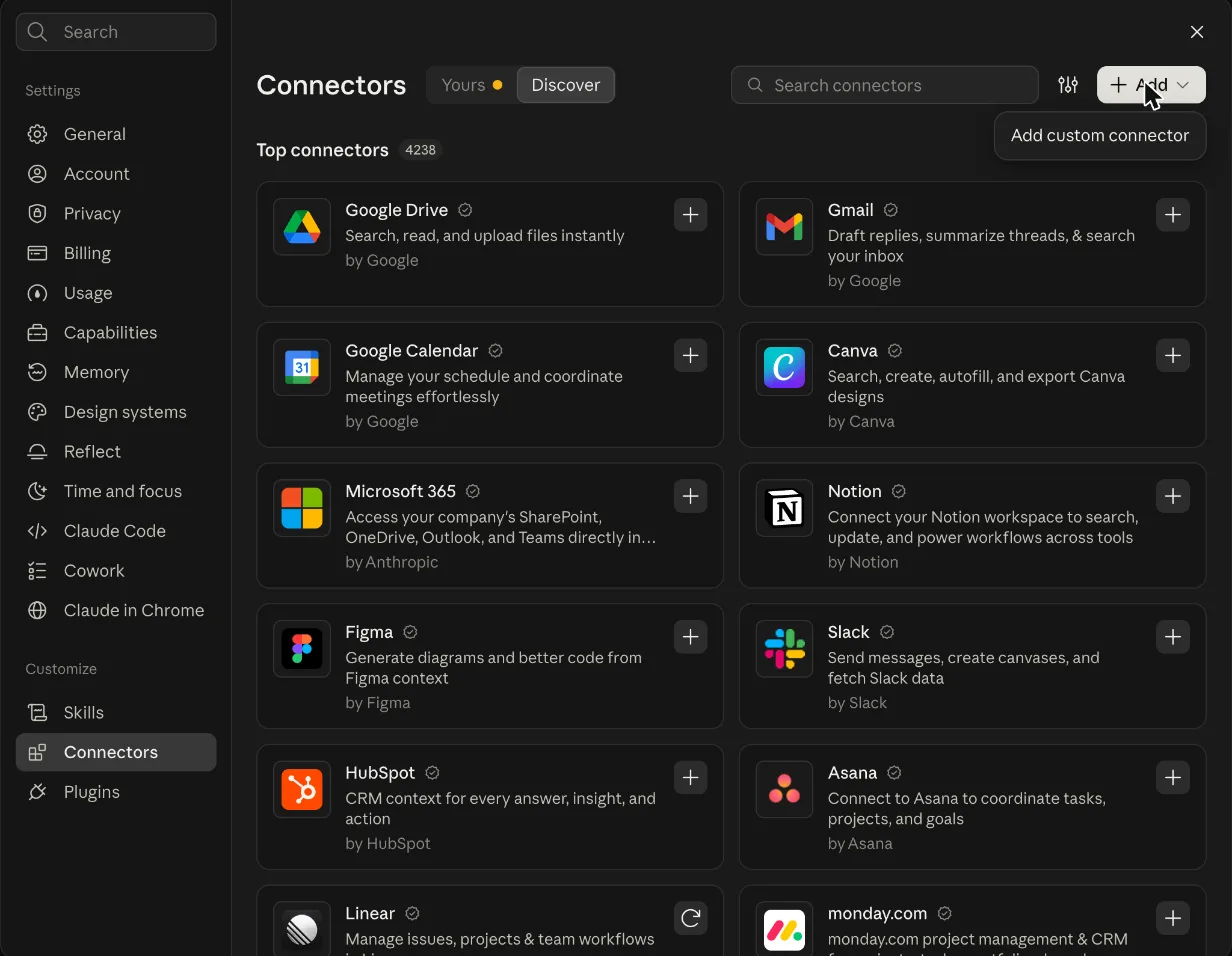
Name it Kempton Watch, paste the address, and press Continue. In a chat, open the tools menu and switch it on. Custom connectors are in Claude on the web and in the desktop apps; which plans include them changes, so check Anthropic's help pages if you don't see the option. These screenshots were taken on 5 October; if the menus have moved again by the time you read this, the connect page is kept current.
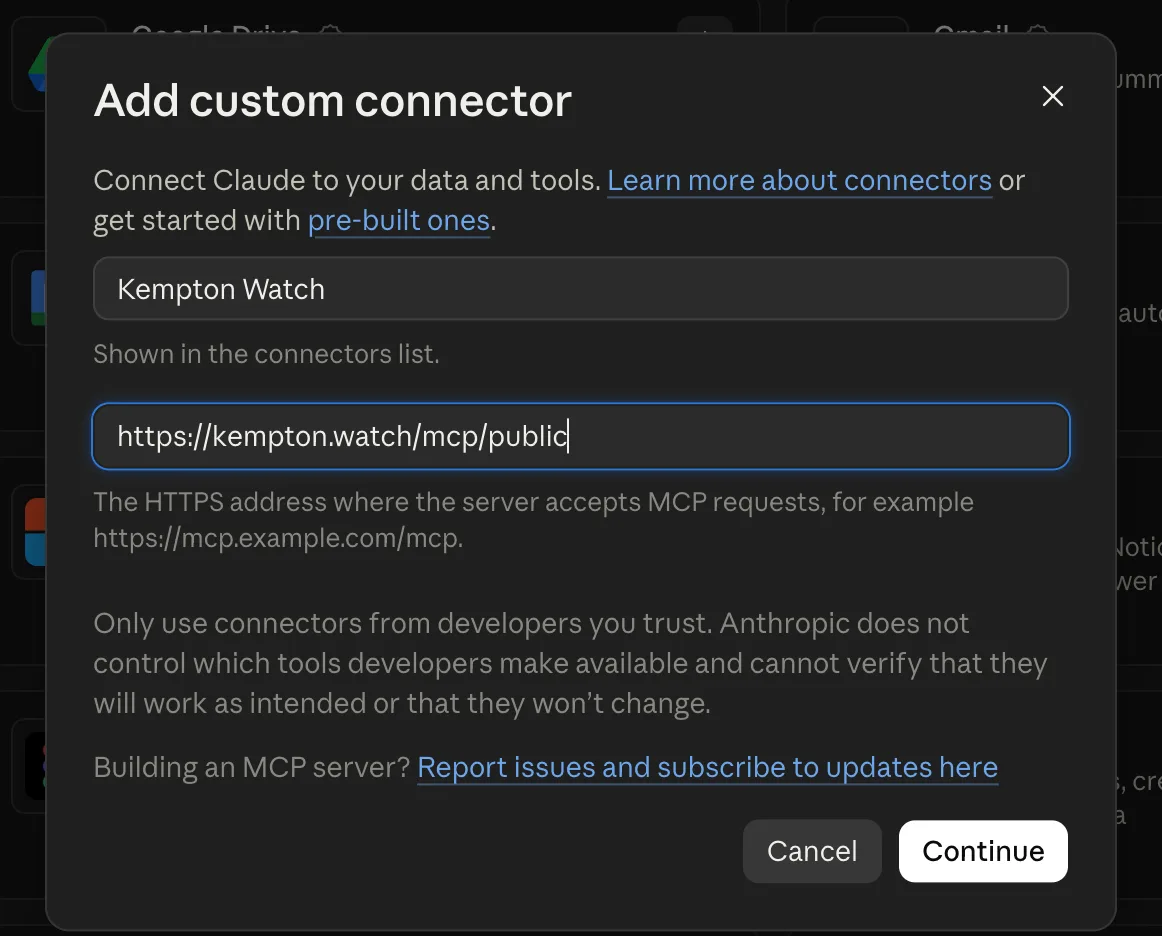
That note from Anthropic in the form, "only use connectors from developers you trust", is fair. This one reads a public record and nothing else, and the privacy page says exactly what the server keeps, which is a counter and no more.
ChatGPT. Open Settings, then Connectors, then Advanced, and turn on Developer mode. Back under Connectors choose Create: name it Kempton Watch, paste the address, authentication None. In a chat, choose Developer mode from the tools menu and tick it. Developer mode is only on some plans; if you don't see it, that's why.
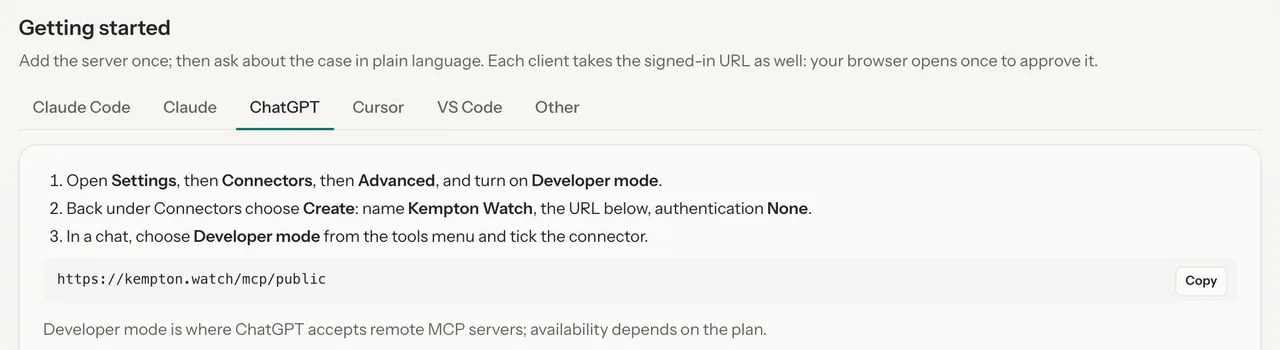
The connect page has the same steps for Claude Code, Cursor and VS Code, and a line for anything else that speaks the standard. If none of that applies to you, don't worry. The website is the same record, and if you're technical, part three has a way in without a chat app.
The first three questions
Here are three questions I asked on 5 October, and what came back. These are real answers from the record as it stood that day. Ask the same questions next week and the numbers may have moved, which is the point.
Where does the case stand?
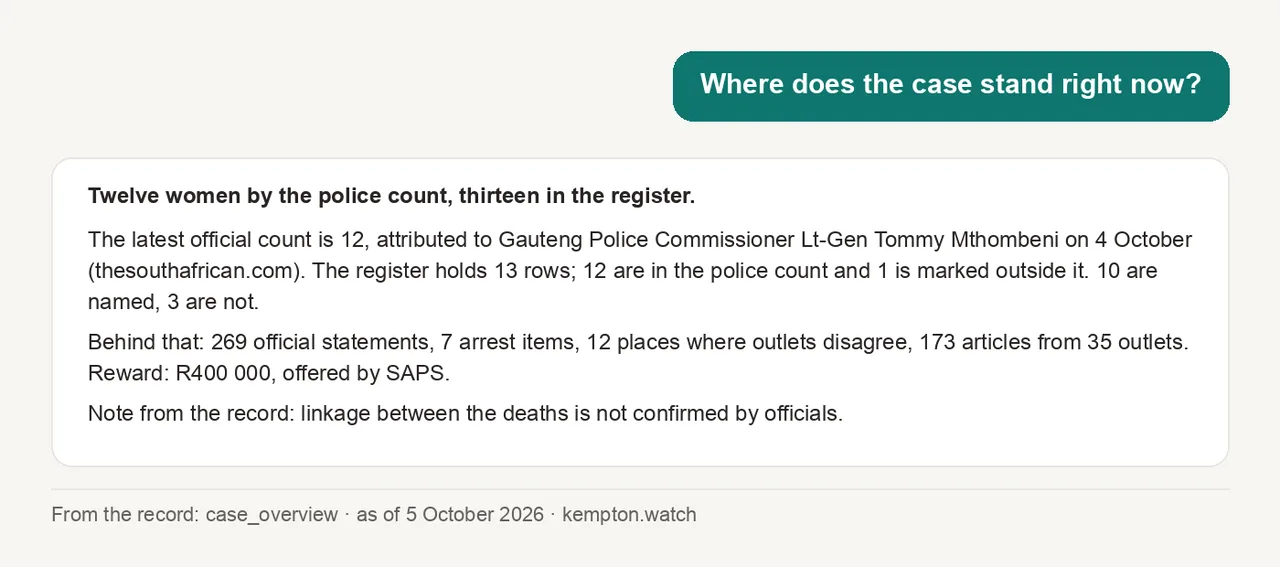
Notice three things. The two numbers, twelve and thirteen, are both there, and each says whose number it is. The reward comes with who offered it. And the last line is the record talking, not the assistant: officials have not confirmed that these deaths are linked, and the record says so every time it's asked.
What does the record hold about one woman?
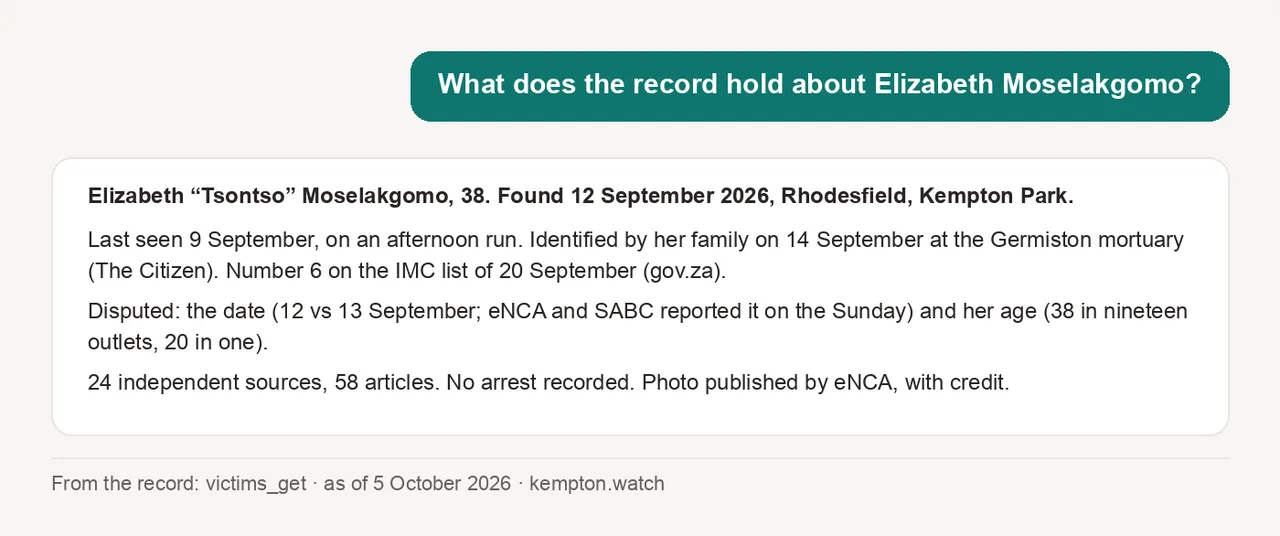
Every line here has an outlet behind it, and the assistant will give you the link if you ask. The "disputed" line is the one to learn to read. It means two outlets printed different things, and the record kept both instead of picking one quietly.
Is there a reward?
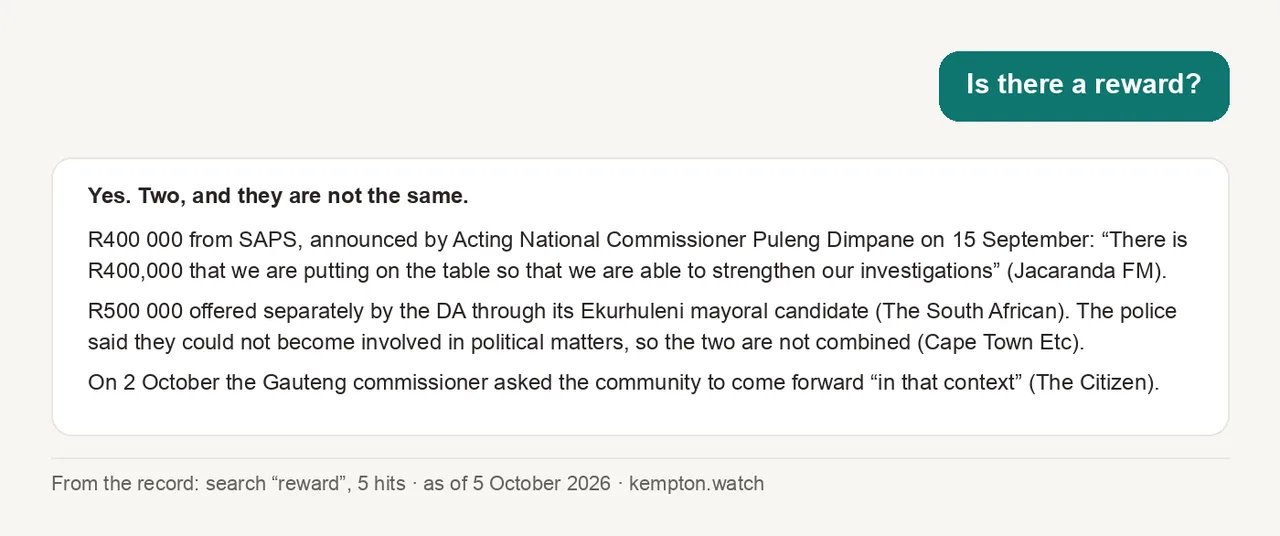
I like this one because it's a question with a simple answer in the news, "yes, R400 000", and a more useful answer in the record. There are two rewards, from two different people, and the police have said they are not the same thing.
More to try
- "What happened in the last 24 hours?"
- "Which news outlets does the record rely on most, and how much does it trust each one?"
- "What arrests have been reported, and when are the next court dates?"
- "What has the Gauteng Premier said this week?"
- "Which women are still unidentified?"
- "Show me the places where outlets disagree about a date."
Ask in your own words. If the assistant answers from memory instead of from the record, which happens, tell it: "Use the Kempton Watch connection." It will.
The rules it follows
The record passes its own rules to any assistant that reads it, and you'll see them in the answers.
If your assistant ever tells you something that breaks one of those, it didn't get it from here.
What it can't do
It can lag the news by a couple of hours. It isn't the police and it doesn't investigate. And for now it can't take a tip: that door is paused, together with the website's tip form, until an official partner is in place to vet what comes in. If you tell it you know something, it will say so and point you to Crime Stop. Part three explains what the door will do when it opens.